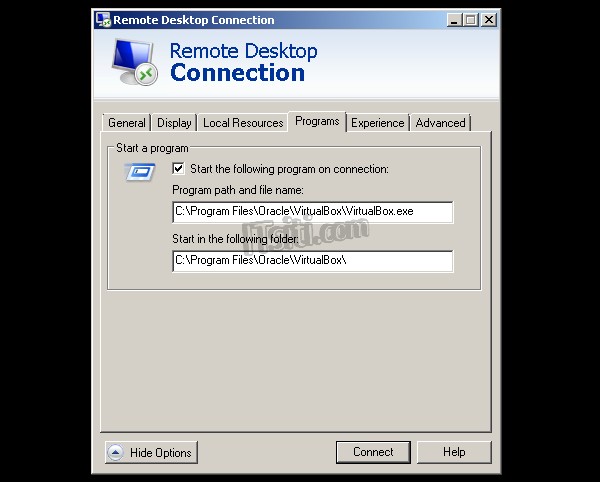
Open the Remote Desktop Connection and click on Show Options. Go to Programs tab.
Under the Start a program, select the option Start the following program on connection. Enter the value for Program path and file name and Start in the following folder. You can click on Connect to see if the program is automatically start up upon the log on.