


The activity is tested on Windows 7, Windows Server 2008 R2 and Windows Server 2012.
Step 1
1. Create a batch file using the notepad. Save the extension as .bat.
forfiles -p “[PATH_TO_THE_DESIRED_FILES]” -s -m *.* -d [NUMBERS_OF_DAYS] -c “cmd /c del @path”
Step 2
1. Open the Task Scheduler. Right click on the Task Scheduler (Local) > Create Basic Task.

2. Enter the name and description. Click Next.
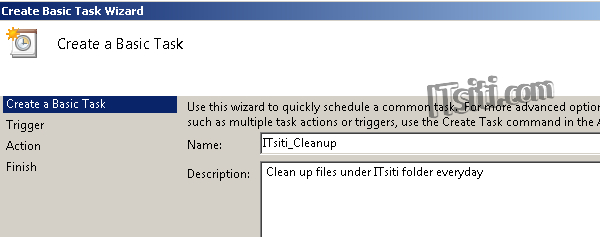
3. Define the event periodic. Click Next.

4. The screen below requires you to define the time / date. The selection below is based on Daily execution. If you choose Weekly, Monthly or others – it will be a different settings.

5. Choose Start a program. Click Next.

6. Locate the script you created earlier. Click Next.

7. Click Finish.


