

1. Launch the SAP HANA Studio and login to the system or tenant database.
2. Right click on the system database (if you choose system db) and select Properties.

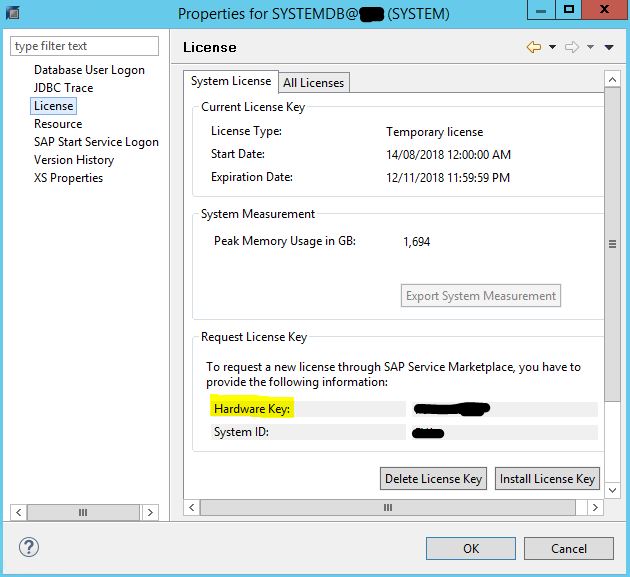
3. Choose License and from the right panel, you will see the Hardware Key.

1. Launch the SAP HANA Studio and login to the system or tenant database.
2. Right click on the system database (if you choose system db) and select Properties.
3. Choose License and from the right panel, you will see the Hardware Key.


Pls how to do same in SAP B1? thanks