


Symptom
You want to open the Exchange Infrastructure Tools for Integration Builder: Design (Integration Repository) or Integration Builder (Integration Configuration) but ended with below error,

Click on the Details, you will see
Error: Could not verify signing in resource
http://HOSTNAME:5xx00/rep/repository/aii_ibrep_sbeans.jar
Solution
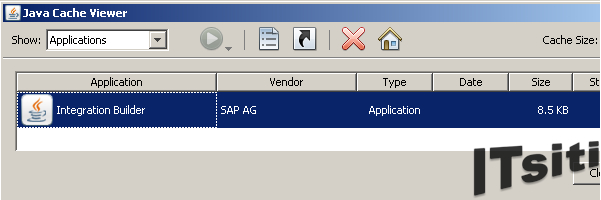
1. Go to Control Panel > Java (double click) > View (under Temporary Internet Files). Select all the available applications and delete. Try to open the integration builder again, if still failing, proceed with the Step 2.
2. On the initial page of Exchange Infrastructure Tools. Go to Administration > Java™ Web Start Administration. You need to verify which Integration Builder were facing the issue. Choose Repository tab for Integration Repository or Directory for Integration Directory. Choose Re-initialization and force-signing. This activity will take around 5-15 minutes and you can try to open the Integration Builder again.
Note
1. The function Re-initialization and force-signing will cause the above re-collection and additionally a re-signing of ALL resources with a dummy certificate. The original SAP signatures of the jarfiles will be lost. It is recommended to use this function only in test systems. To get back the original SAP signatures the application has to be deployed again.
2. Above example is for SAP Netweaver 2004s (7.0) version. For higher version, the step will be Java™ Web Start Administration > Restore Archives and Generate New Signature.
3. To deploy back the original SAP signatures, you can follow SAP Note 928887 & 1598282.
4. You can refer to this article, http://wiki.sdn.sap.com/wiki/display/XI/Troubleshooting+PI+ESR+and+Integration+Builder+Logon+Issues


