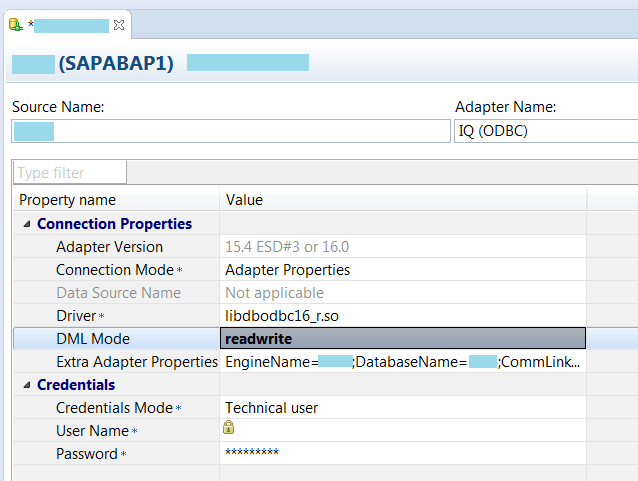
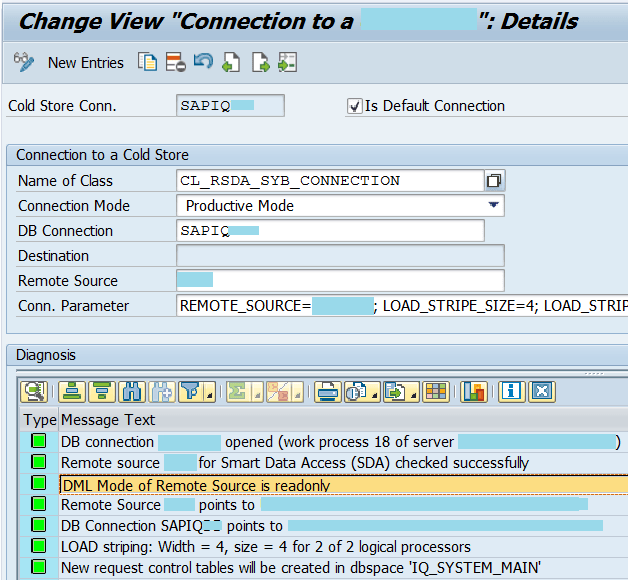
In transaction code RSDANLCON, you notice the message saying the “DML Mode of Remote Source is readonly”. If the DML mode is set to read only, you will not be able to use the functions insert, update or delete operations.
By default, DML mode property is set to read only. You can use SAP HANA studio to change the option from read only to read write or vice versa.
Solution
Launch the SAP HANA Studio, select Provisioning > Remote Sources. Right click on the system and select Open Definition.

Change the option from readonly to readwrite at the DML mode. Save your change and re-execute the transaction code RSDANLCON.