


This article will show you the steps to perform the replacement or update to the SQL scripts in the transaction code DBACOCKPIT.
You may also refer to the SAP Note 2253903 – How to replace a script using MSSPROCS [VIDEO] for further information.
Execute transaction code DBACOCKPIT and go to SQL Script Maintenance. Alternatively, you can access the same screen with report MSSPROCS via transaction code SE38.
Before you move further, ensure the SQL Server version is correct. You can select the version from the DB release drop down list. In this example, it is SQL Server 2012.

Next, look for the procedure name (SQL script), which you wanted to replace. You can use the filter function or scroll down till you found the SQL script. Right click to the procedure name and select Edit Script.
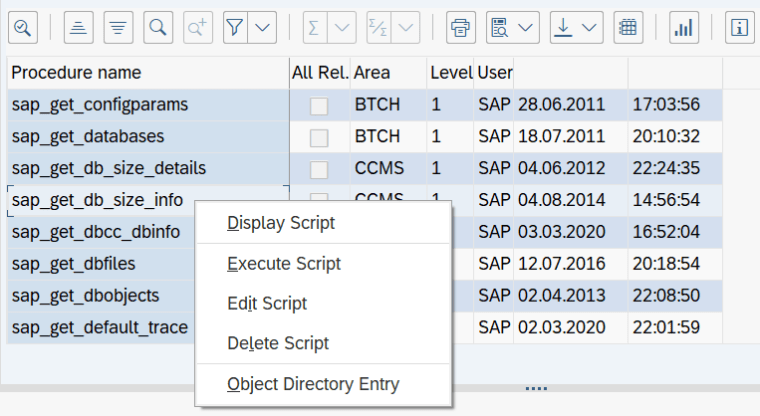
Save the current procedure to your local disk. This is for the backup purposes.

Next, clear the procedure content and paste the new procedure which you downloaded from SAP note. Click on Save.
You have successfully updating the new procedure!
Note
If the procedure changed is BTCH, you do not need to execute anything else.
In case your procedure is CCMS, UTIL, DDIC or other, you may need to execute the scripts


