


In our archive article, RPT_MOPZ_COPY_STACK_XML: Create Stack Copy File we used to generate stack XML file for identical system using the report RPT_MOPZ_COPY_STACK_XML via transaction code SE38. The activity was executed on SAP Solution Manager. Now, you can no longer use this since stack XML generation is under Maintenance Planner.
Steps
1. Open the Maintenance Planner link. You can get it from the One Support Launchpad or use “google” to search the link of Maintenance Planner.
2. Search the system which you wanted to generate the stack XML.

3. Click on the system ID.

4. Click on Software tab.
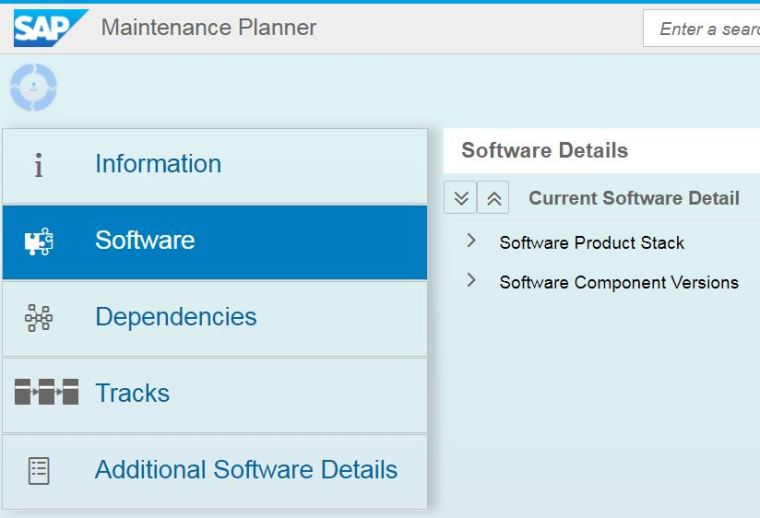
5. On the right panel, click on Plan New System Using <SID> as Reference.
6. Check the box to continue and enter the identical SID system. Click on Plan.

7. You will get the comparison list. Review the list and click Close to continue.

8. Click on the attachement icon to download the stack XML file.

Reference
- SAP Note 2419417 – Maintenance Planner – Copy a stack XML for an identical system
- SAP Help – Maintenance Planner
- Maintenance Planner – Overview (links available to Wiki, Product Information & General Information).


